Draytek Router Testing with XPass
Testing Comprised of A Draytek Vigor 2820
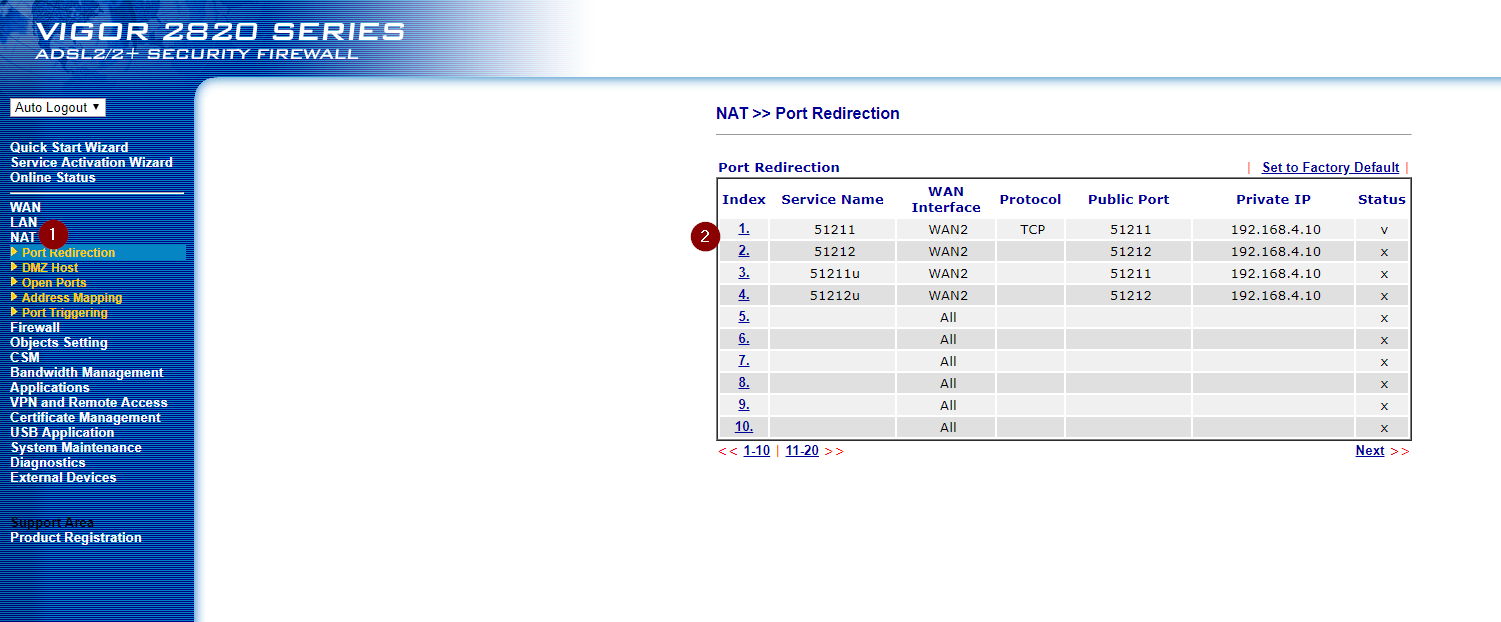
- Log into the Draytek and go to the NAT
- Add inbound rules for NAT on TCP and UDP 51211 & 51212
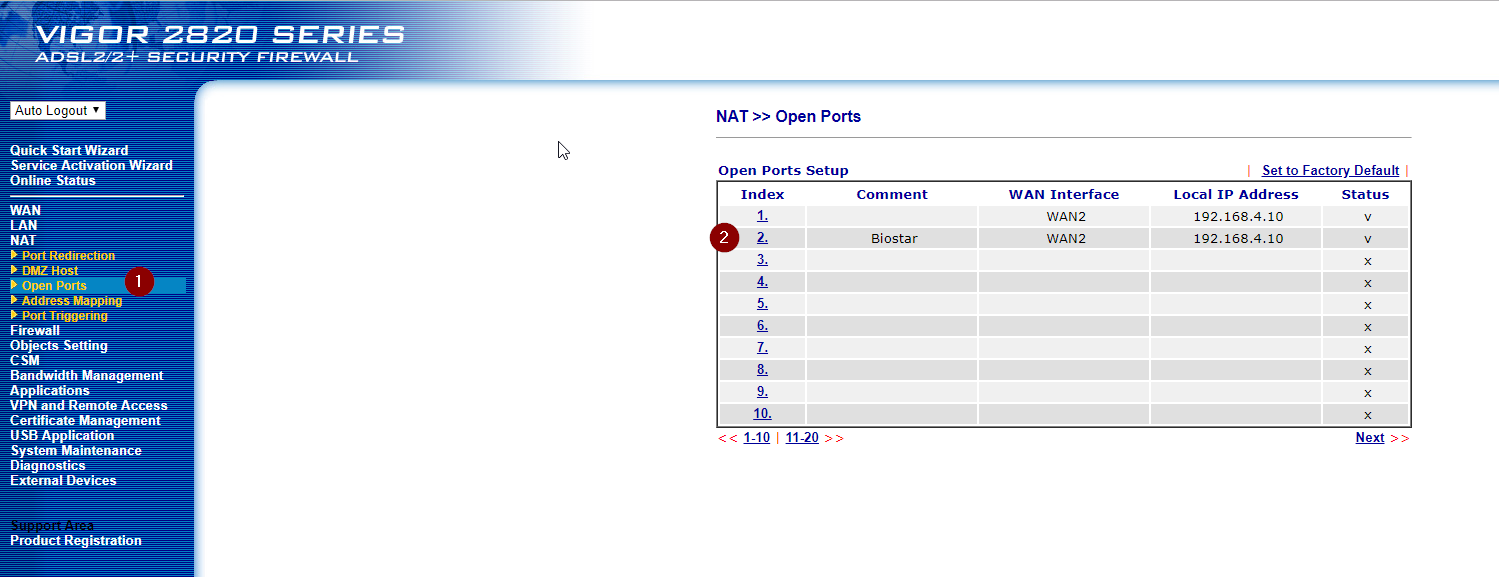
- Click Open Ports
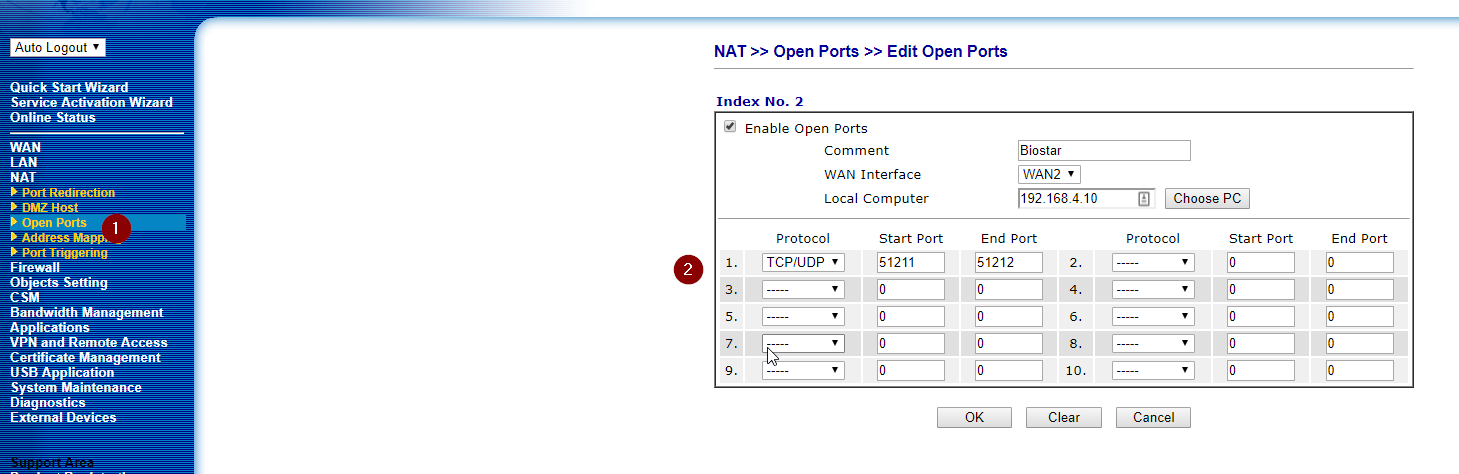
- Click one of the numbered Rules to edit
- Set for Open Port on 51212 inbound.
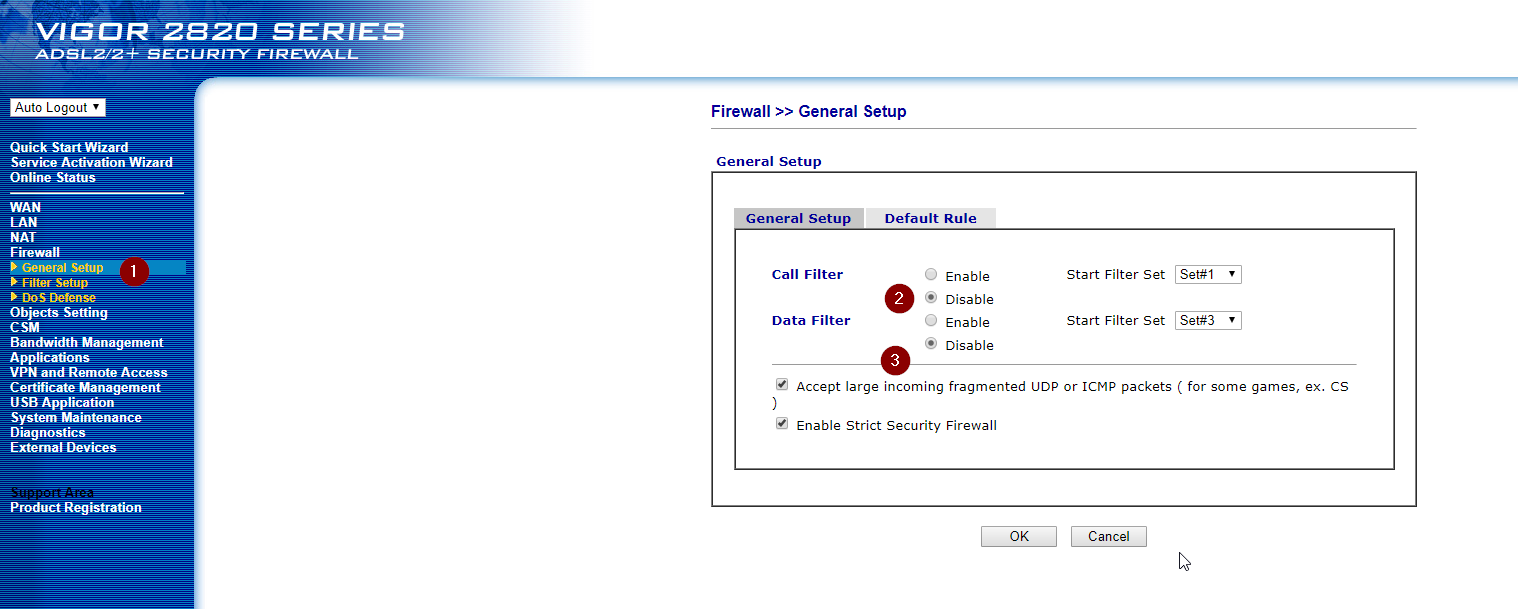
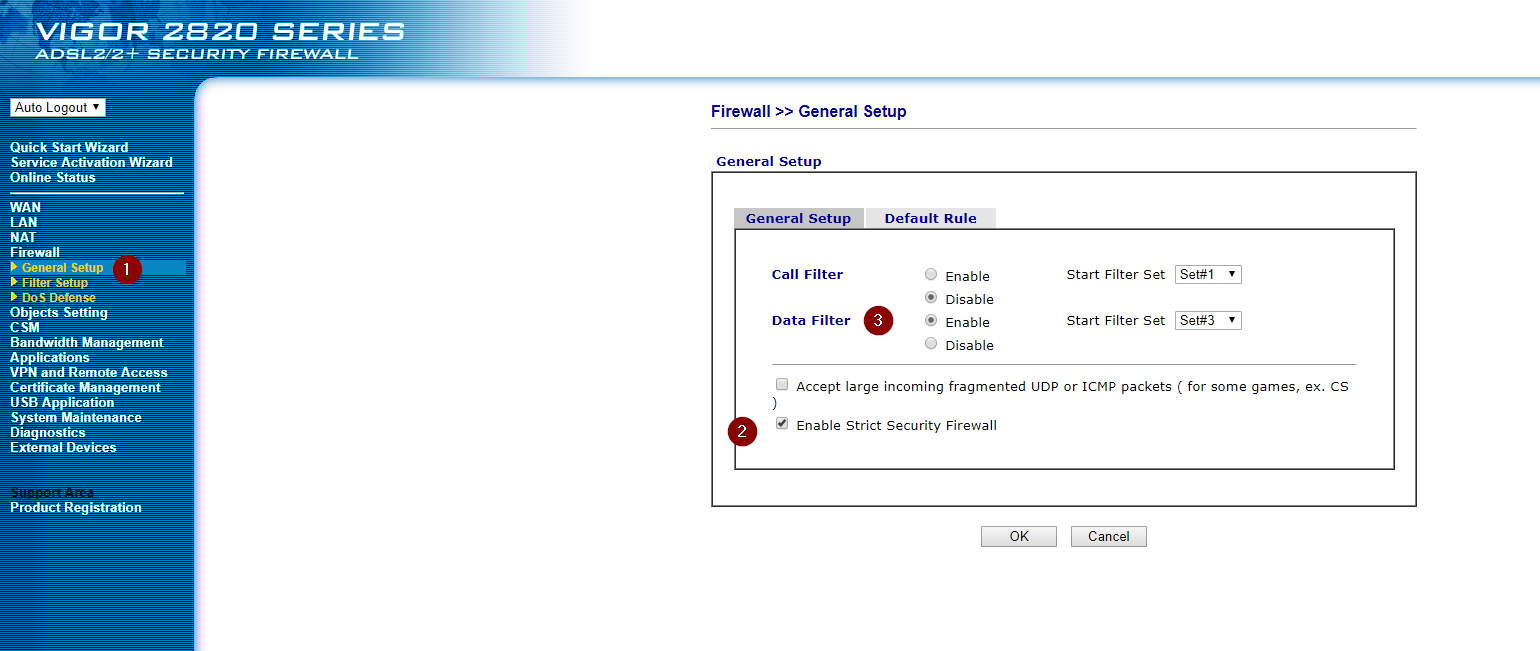
I had also disabled the Firewall Filters These were Off when Gee tried his test.
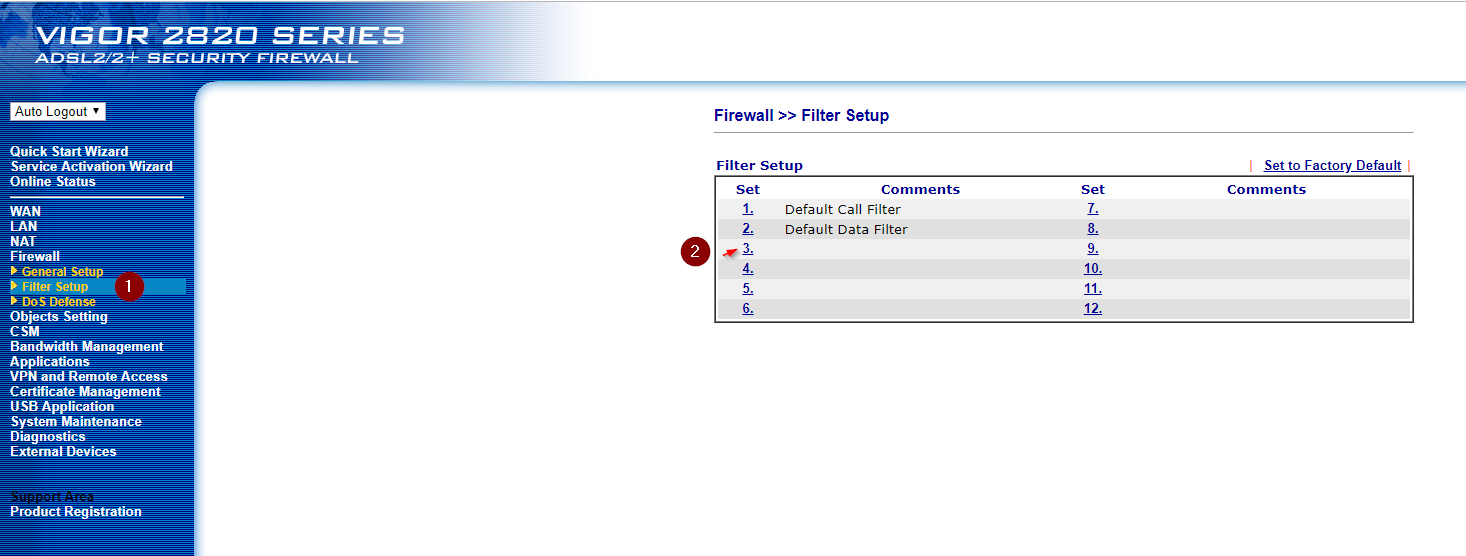
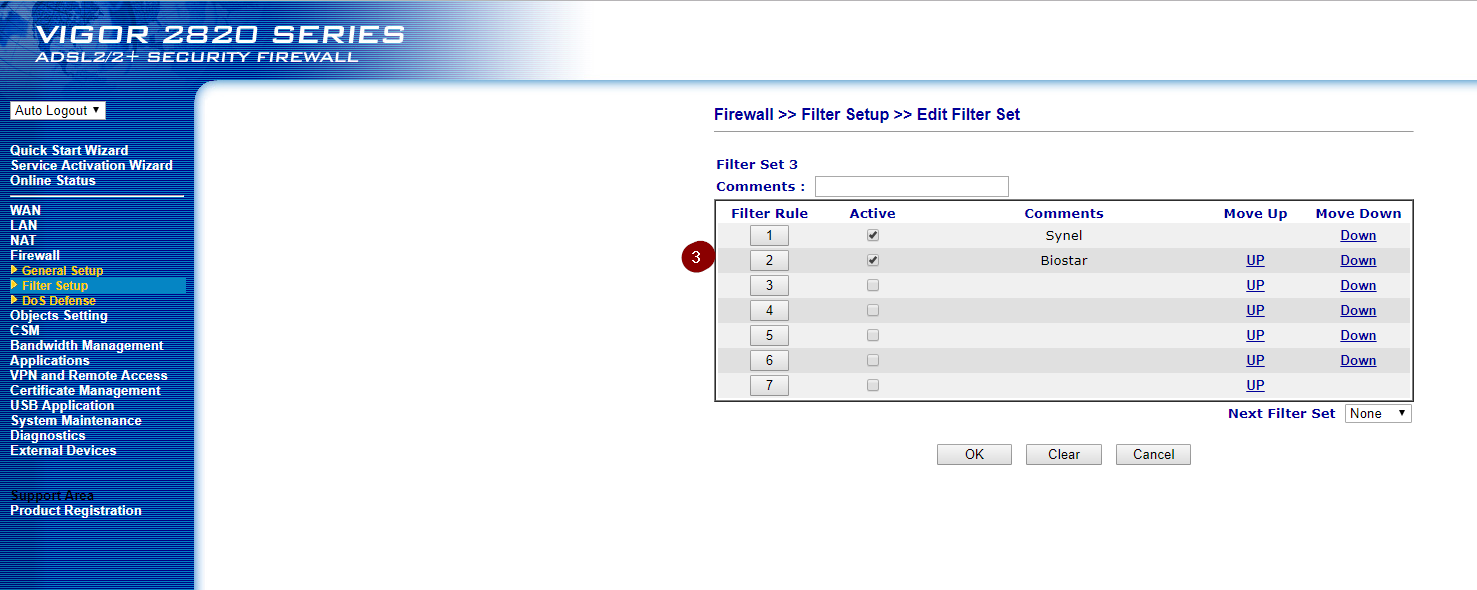
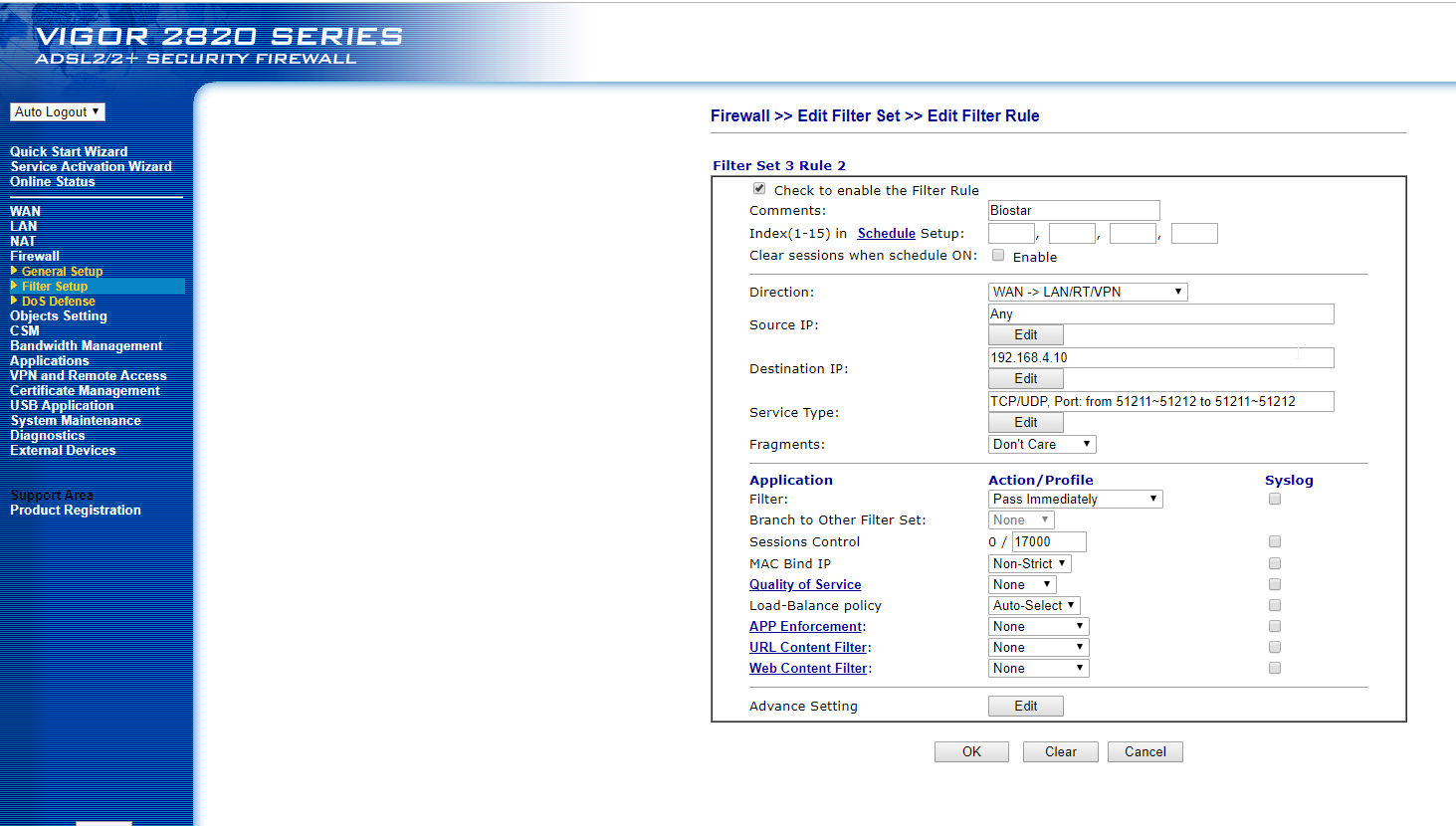
I had already Created rules in group 3 for Data Filters
With the Firewall Filters Enabled for Data, I can still connect to the BioStar device.
And still again with Call enabled as well